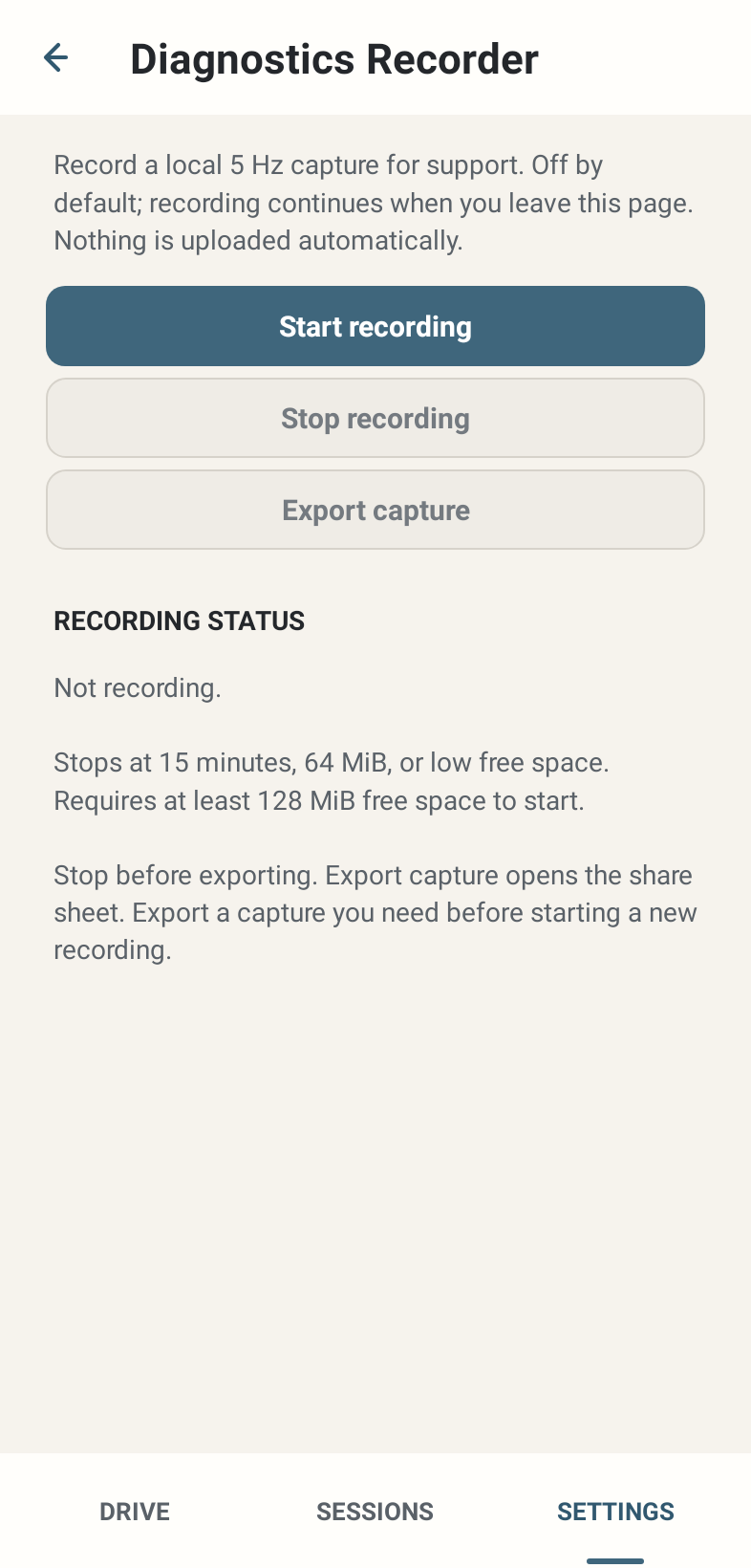
Where: Settings → Advanced & experimental → Open diagnostics recorder.
How to use it
- Start recording begins the separate 5 Hz support recorder. It is OFF by default. The status shows the current recorder state.
- Leave the page if needed; recording can continue. Return and Stop recording, then allow finalisation to finish before exporting.
- Export capture becomes available for a usable existing completed/retained capture and opens the Android share sheet. You choose whether and where to share it.
- Export a capture you need before starting a new recording. Capture availability is local; the recorder is not a permanent unlimited archive.
- The recorder stops at 15 minutes, 64 MiB or low free space, and requires at least 128 MiB free to start. Fully close LapMind stops it orderly.
Options and defaults
Start recording
- Default
- Recorder OFF
- Options
- Start 5 Hz support capture
- Meaning
- Requires ≥128 MiB free and valid state
Stop recording
- Default
- Enabled while recording
- Options
- Stop and finalise
- Meaning
- Do not export before completion
Export capture
- Default
- Unavailable without usable capture
- Options
- Explicit Android share
- Meaning
- No automatic upload
Recording status
- Default
- Not recording
- Options
- Idle / recording / stopping / completion or failure
- Meaning
- Software state, not a storage-success promise
How it works
Normal Sessions retain available source-rate detailed lap telemetry through a separate pipeline. The optional support recorder’s 5 Hz rate does not reduce Session sampling. There is no user-facing full-rate profile, marker control or benchmark panel in the normal recorder workflow.
Limitations
Start can fail when space/state is unsuitable. Export is disabled during recording/stopping or without a usable capture. Diagnostics can reveal driving context; inspect and share privately through an agreed support route. No data is uploaded automatically.