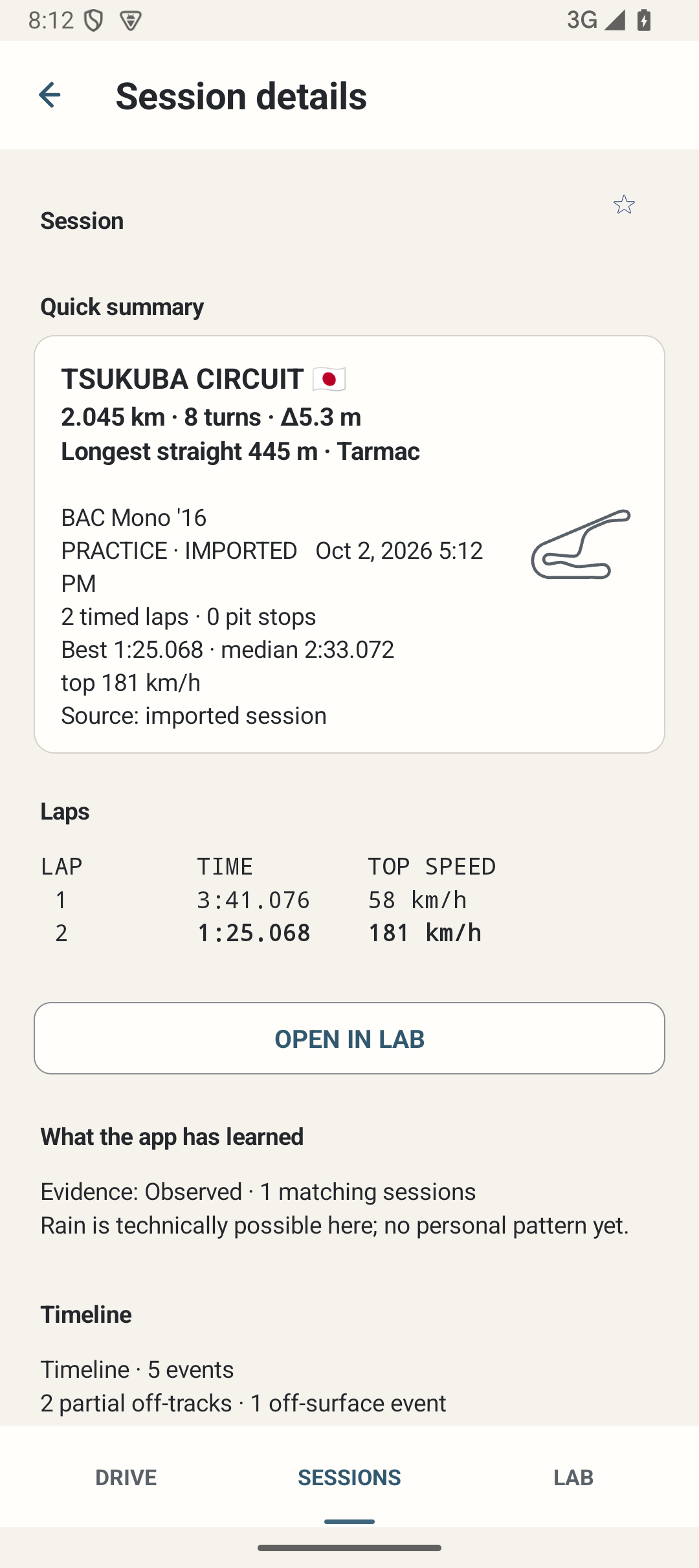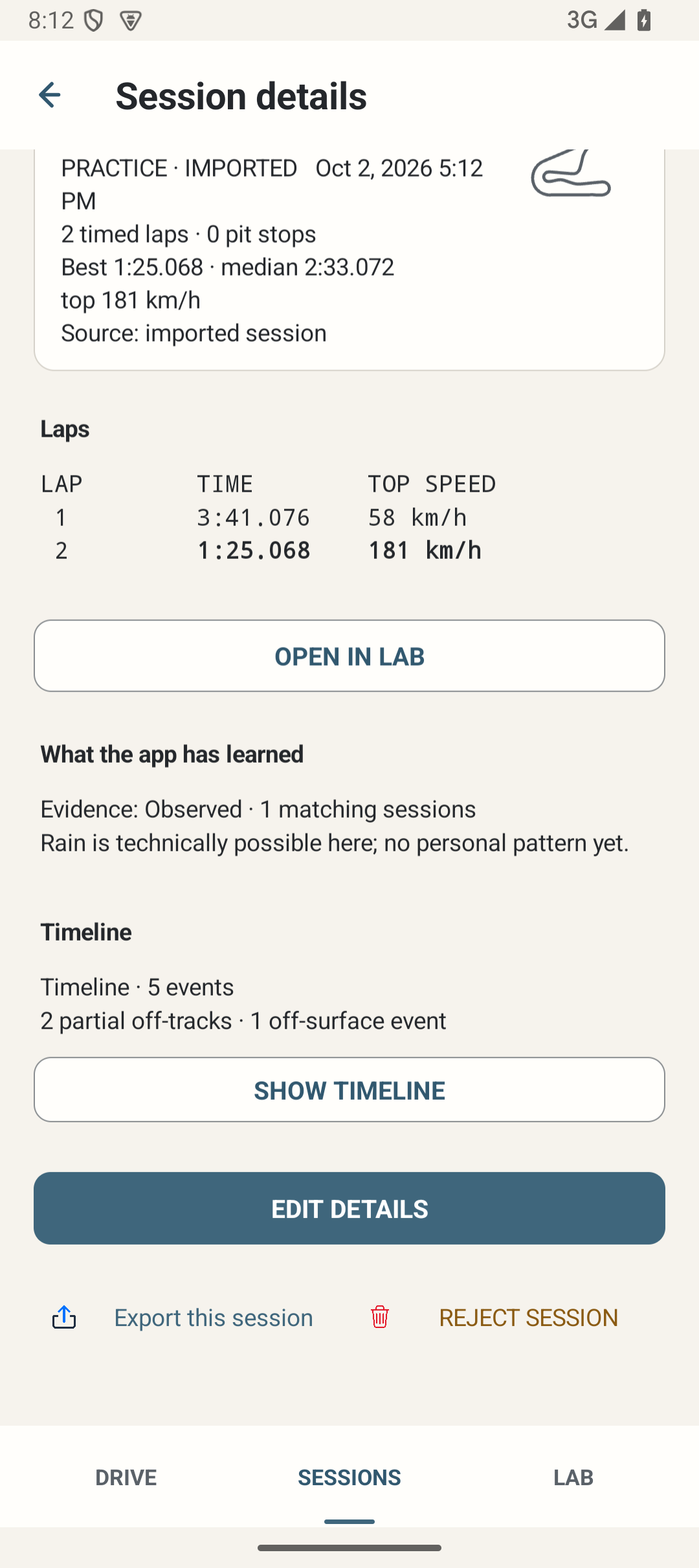
Where: Sessions → select a record → Quick summary / Laps / Timeline / Edit details.
How to use it
- Read the track, car, activity, completion state and available lap/fuel information. Practice is not a completed competitive P1 race; ambiguous activities can remain Unknown.
- Use Show timeline / Hide timeline to inspect stored event observations. A timeline label does not create missing telemetry.
- Choose EDIT DETAILS for an ended editable Session. You can edit track/layout, event, weather observations and optional fuel multiplier; Save or Cancel explicitly.
- Review Completed / Incomplete status and weather/rain/dry-line notes as review metadata. Changing a track requires one-Session confirmation; an unmatched label clears automatic canonical track identity rather than inventing a match.
- Open a lap through Analyse / OPEN IN LAB when supported. Back returns to the originating Session/list context.
- For an orphaned live record shown as interrupted, MARK INCOMPLETE ends that stored record for review. It is not proof that GT7 completed the race. The active telemetry-owned Session cannot be edited as a historical record.
Options and defaults
EDIT DETAILS
- Default
- Manual action
- Options
- Edit / Save / Cancel
- Meaning
- Ended editable records
Status
- Default
- Recorded state
- Options
- Completed / Incomplete for review
- Meaning
- Does not fabricate terminal telemetry
Track and layout / Event
- Default
- Recorded/unknown value
- Options
- Editable text
- Meaning
- Explicit track correction applies to this Session
Weather and track observations
- Default
- Unsure/empty until known or entered
- Options
- Unsure / Dry / Rain / Mixed; rain start/stop; dry-line notes
- Meaning
- User observations, not telemetry guarantees
Fuel multiplier (optional)
- Default
- Unknown
- Options
- Unknown / 1×–50×
- Meaning
- Review metadata used where applicable
Timeline
- Default
- Collapsed
- Options
- Show / Hide
- Meaning
- Stored events
MARK INCOMPLETE
- Default
- Manual confirmed recovery
- Options
- End orphaned record
- Meaning
- Not a race-result claim
How it works
A Session summary stores compact facts and user review metadata. Detailed traces are separate data required for full point inspection. Weather notes and a chosen fuel multiplier are explicit observations, not live radar or a decoded active fuel-map setting.
Limitations
Edits affect that Session’s reviewed identity/metadata, not frozen track geometry or unrelated Sessions. Missing result/trace data cannot be reconstructed by changing Completed. Imported provenance is retained.